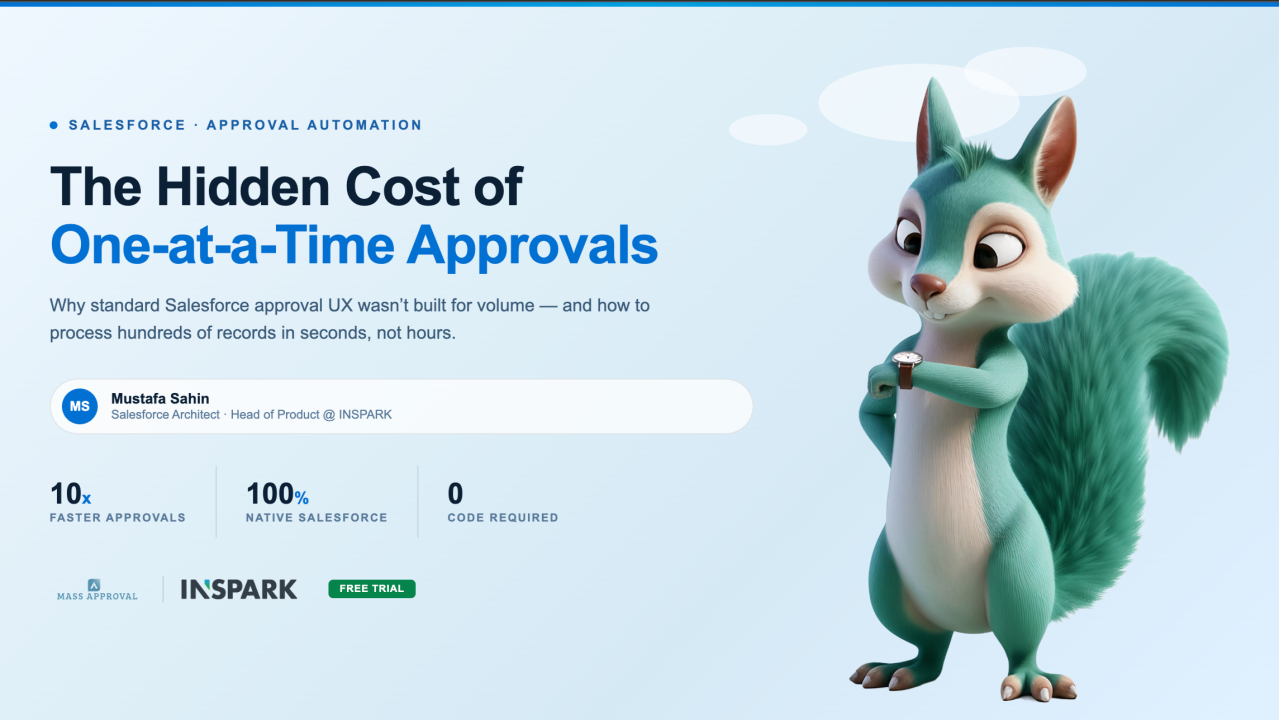
If you’re a Salesforce Admin — or worse, a VP who also happens to be an approver — you know the drill. Open your email, click the approval notification, review the record, click Approve, go back, find the next one, repeat. Forty records later, you’ve lost half your morning to something that should’ve taken two minutes.
The Real Cost of One-by-One Approvals
Most organizations don’t even realize how much time they’re bleeding. Here’s what a typical approval workflow looks like in a mid-size Salesforce org:
- Expense reports pile up at month-end — finance managers click through 30–50 records individually.
- Leave requests sit in queues for days because HR reviewers batch their approvals to “whenever I have time.”
- Purchase orders get delayed because the approving director has 20 other things competing for their attention.
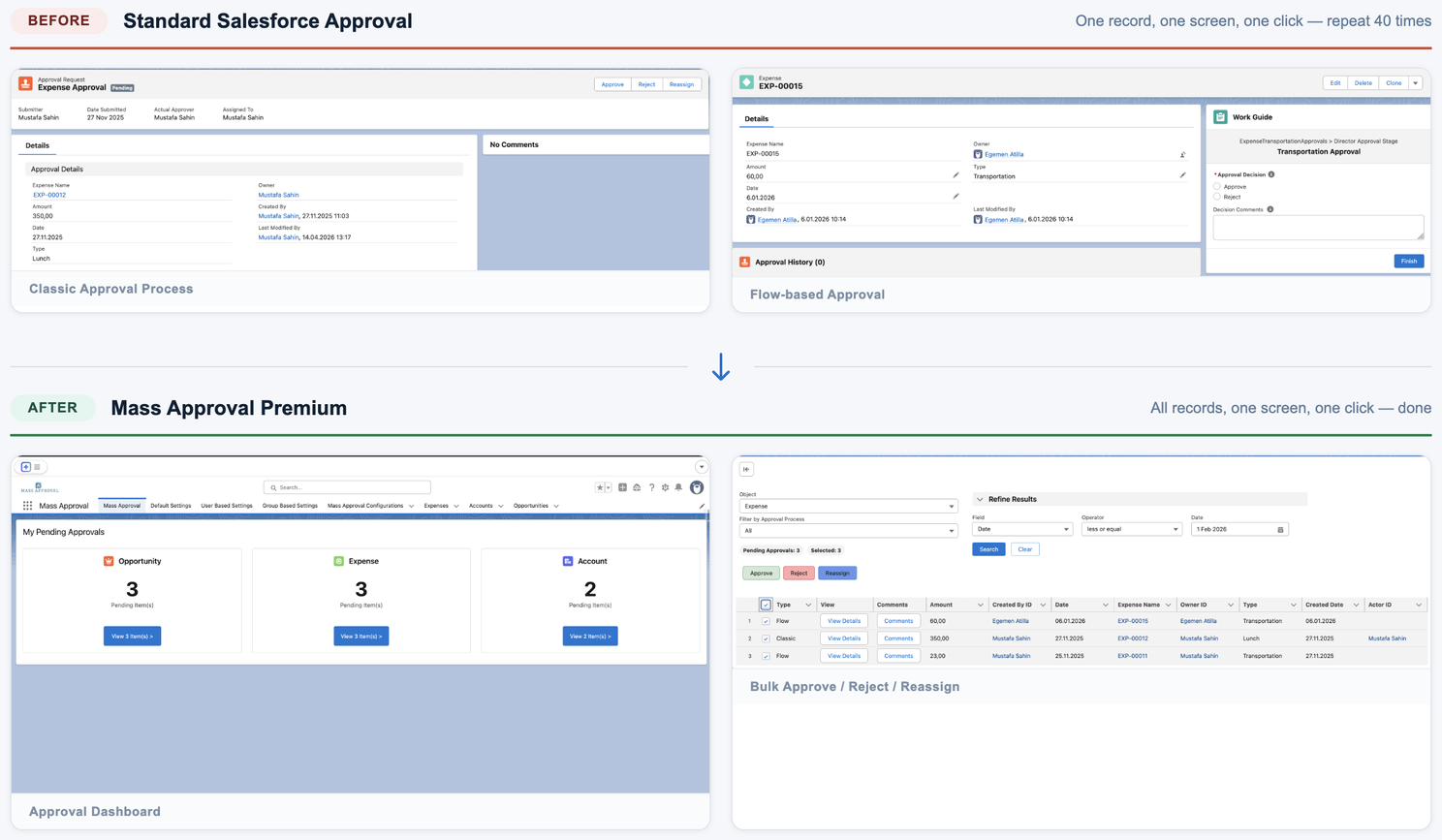
The problem isn’t that people are lazy. The problem is that Salesforce’s native approval UX wasn’t built for volume. There’s no bulk select. No way to filter pending items by type. No centralized dashboard showing what’s waiting across objects. Every approval is a single-record, single-click operation.
For a platform that handles millions of records, that’s a surprising gap.
What a Better Approval Workflow Looks Like
Imagine opening one screen and seeing: 3 Opportunities, 3 Expenses, 2 Accounts — all pending your approval, neatly organized by object type. You click into Expenses, select all, hit Approve. Done. Seven seconds instead of seven minutes.
That’s the experience we built with Mass Approval Premium, a Salesforce-native app on AppExchange.
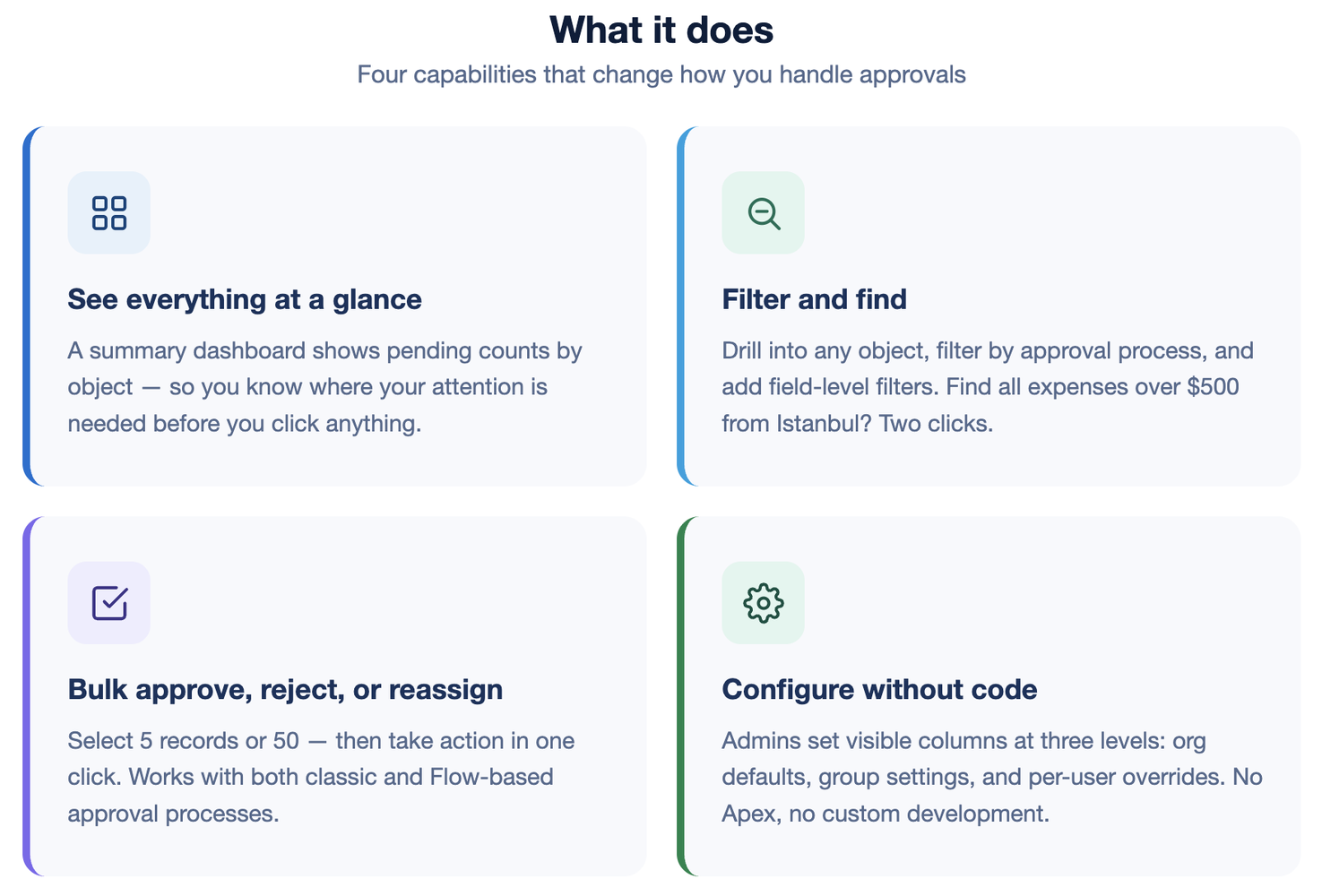
Here’s what it does:
Who It’s Actually For
I’ve seen three types of people get the most value from this:
Operations and Finance Directors who approve dozens of records daily and want their time back. For them, Mass Approval Premium isn’t a nice-to-have — it’s a workflow fix that saves real hours every week.
Salesforce Admins who are tired of building workarounds. No more custom Lightning pages, no more “approval reminder” flows, no more apologizing to executives about the clunky native UX. Install, configure, done.
HR and Procurement teams running structured approval workflows on custom objects. Leave requests, expense reports, purchase orders — if it goes through an approval process in Salesforce, Mass Approval Premium handles it.
The Upgrade Path
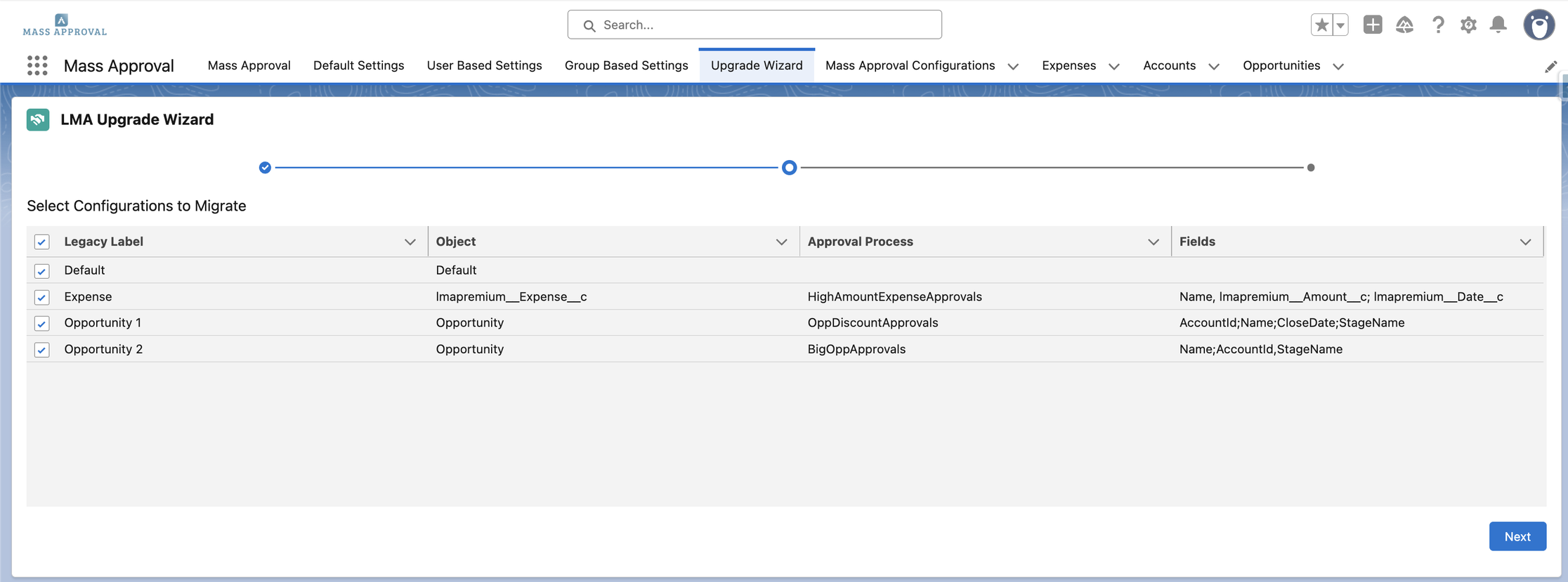
If you’re already using Mass Approve (our free AppExchange app), upgrading to Premium takes about five minutes. The built-in Upgrade Wizard scans your existing configurations and migrates them automatically — zero data loss, no re-setup.
Try It Yourself
Mass Approval Premium is live on Salesforce AppExchange with a free trial. Install it in your sandbox, configure it in ten minutes, and see the difference in your next approval cycle.
Get Mass Approval Premium on AppExchange →
If you’re managing approval workflows in Salesforce, I’d love to hear how you’re handling volume today. Drop a comment or send me a message — I’m always curious about how different orgs solve this.
#Salesforce #SalesforceAdmin #AppExchange #ProductivityTools #WorkflowAutomation #ApprovalProcess